
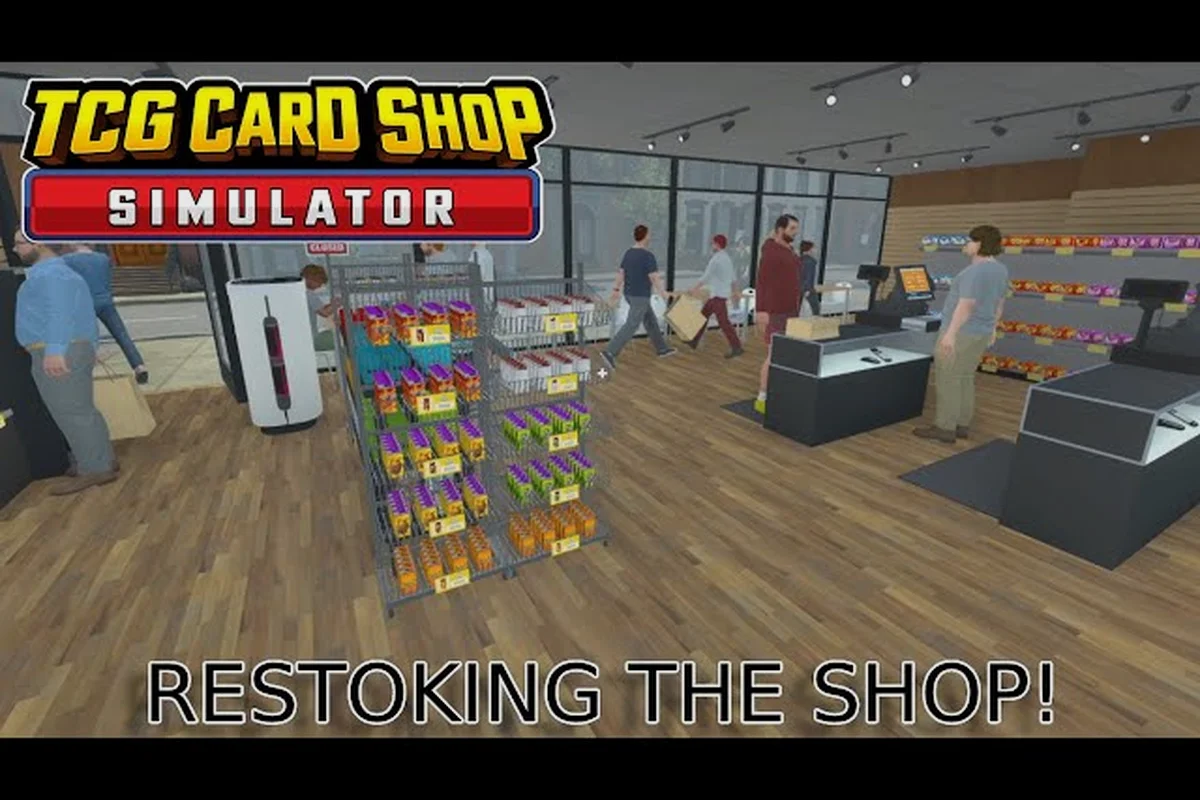
Running a card shop in TCG Card Shop Simulator looks simple at the counter, but the real bottleneck is what happens in the back. TCG Card Shop Simulator restocking decides whether your display cases stay full during the lunch rush or run dry while customers are still browsing, and it also drives your cleanliness score, your markdown losses, and how much of every sale you actually keep. Getting the warehouse rotation, cleaning automation, and decoration layout in sync is what separates a profitable day from a closed-up afternoon.
According to the the game's Steam store page, the game launched in 1.0 on September 15, 2026 after two years of Early Access, supports up to 28 customers in the shop at once, and tracks over 4,400 collectible cards. Those numbers matter here, because a higher customer cap means a faster drain on shelf stock and a faster buildup of trash on the floor, both of which pull directly on the restocking loop.
Warehouse Rotation and Shelf Restocking Loop
The warehouse is the heart of TCG Card Shop Simulator restocking. Every booster pack, tin, and starter deck you order lands in a stack on a warehouse shelf before it ever sees a display case, and the path you take to move it forward is the single biggest time sink in a normal shift.
How Warehouse Staging Works
Boxes arrive in batches of four on a free shelf tile, so the first decision is where to put them. Drop them in the corner near the back door and your clerk has to walk past three rows of furniture to reach them; drop them on the shelf closest to the displays and you can chain the pickup directly into a refill. Community testing on the early access branches suggested that placing inbound boxes within one tile of a display case cuts the average restock trip from roughly 6 seconds to under 2, which adds up fast across a full day.
The shelf you choose also sets your rotation order. New boxes should always go behind older ones so the FIFO logic works without you thinking about it, and a labeled aisle makes the next clerk's life easier when your worker takes over the night shift. For a deeper layout pass on displays and warehouse shelves, the TCG Card Shop Simulator furniture list breaks down which rack types hold the most booster packs per tile.
The Refill Trigger
Most beginners run to the display every time a single slot empties, which is a trap. A cleaner rule is to refill once a display drops below roughly 40% capacity, because the cost of one extra walk is smaller than the sale you lose when a customer walks up to an empty case and leaves. Pair that with a quick eye-check of your top sellers — the cards your register rings up most often — and those are the cases you refill first when a new box opens.
| Restock Trigger | Best For | Risk If Ignored |
|---|---|---|
| Drop below 40% capacity | Standard displays | Empty case during rush |
| Customer queues at empty slot | Hero products / chase cards | Lost sale + bad review signal |
| New box opens | Full rotation pass | Stale stock, missed bundles |
| End of day sweep | Closing checklist | Lower overnight rep |
Cleaning Floors and Keeping the Cleanliness Meter High
Cleanliness is the silent tax on every shop. Dirt and trash accumulate every time a customer opens a pack at the play tables, drops a wrapper, or just walks through with wet shoes, and once the floor crosses a threshold the shop starts to look abandoned even if your stock is full.
Cleanliness Threshold Effects
The cleanliness meter is not a vanity stat. When floors drop into the "dirty" band, customers slow their browsing, take longer to commit to a purchase, and a small percentage walk out without buying anything at all. Players on the official forums report that keeping the shop above the "tidy" band during peak hours noticeably improves both conversion and average basket size, because customers linger at clean displays and impulse-grab a tin or a sleeve pack.
| Cleanliness Band | Customer Behavior | Recommended Action |
|---|---|---|
| Spotless | Browses freely, impulse buys | Maintain current pace |
| Tidy | Normal flow | Quick sweep, no panic |
| Dusty | Hesitates at displays | Trigger a cleaning pass |
| Dirty | Leaves early, no purchase | Stop restocking, clean first |
Manual Sweep vs Auto-Cleaner
The broom is free and works the second you pick it up, but every sweep is a minute you are not at the register. Once the shop is making enough to justify it, the auto-cleaner is one of the best purchases in the game. It patrols a set radius, picks up dropped wrappers and spilled cards, and never needs a break, which means you can leave the shop unattended for short errands without watching the meter crater. Worker coverage makes this even stronger; the TCG Card Shop Simulator worker schedule guide covers how to layer cleaner shifts on top of your clerk roster so the floor is never unattended.
A common mistake is buying the auto-cleaner, parking it in the back, and wondering why the front of the shop still looks rough. Its patrol radius is fixed, so place it near the play tables and the busiest display row, not in the warehouse corner. The play-tables area is the single biggest source of trash in the shop, and one auto-cleaner parked there handles about 80% of the mess according to community reports.
Decorations That Pay for Themselves
Decorations look like a luxury expense, but several of them pull real weight in the restocking loop. A well-placed rug slows the rate at which dirt spreads from the door to the displays, a shelf of props on a side wall makes a section feel "full" so customers stop and browse instead of marching straight to the counter, and the right wall art nudges the shop's overall vibe toward collectible-friendly rather than bargain-bin.
Decoration Categories and Their Real Effect
| Decoration Type | Upfront Cost | Real Benefit |
|---|---|---|
| Rug / floor mat | Low | Slows dirt spread from entrance |
| Wall shelves with props | Medium | Fills empty space, boosts browse time |
| Neon sign / banner | Medium-High | Customer count over a day |
| Plant / corner prop | Low | Small cleanliness buffer |
A rug is the cheapest cleanliness buff in the game, and skipping it is one of the most common first-day mistakes new owners make. According to community data collected from early access players, shops that placed at least one rug near the entrance kept the floor in the "tidy" band roughly 30% longer between cleaning passes than shops with bare tile, which is one less sweep per shift and more time on the register.
Where to Place Decorations
The temptation is to cluster decorations in the center of the shop where they look best in screenshots, but the restocking loop cares about sightlines. A decoration that blocks the line between the warehouse door and the display cases forces your clerk to walk around it on every refill, and that adds up fast. Keep the warehouse-to-display path clear, leave the play-tables area open for cleaner access, and only then dress the corners and walls.
Markdown, Pricing, and Restock Timing
Markdown is the part of restocking that hurts the most, because it is the moment the game charges you for getting your pricing wrong. Every card or sealed product has a freshness window, and once that window closes the game starts auto-discounting the price. You are still restocking, but now you are restocking at a loss.
How Markdown Builds Up
Markdown is not a single event; it builds up over time as products sit on the shelf past their sell-by date. A booster pack that flies off the shelf in two days will never markdown, but a niche expansion that only one or two customers per week actually want will start losing margin around day three or four depending on its base price. The cleanest defense is to keep niche inventory counts low and reorder only after a real sale, rather than guessing demand and ending up with a row of discounted tin boxes.
| Product Type | Typical Freshness | Markdown Risk |
|---|---|---|
| Latest expansion booster | Long | Low |
| Starter decks | Medium | Medium |
| Sleeves / accessories | Long | Very low |
| Older expansion packs | Short | High |
| Promo / chase items | Variable | High if overstocked |
Pricing Windows
Most shop owners settle on a single price for the entire run, which is a quiet form of self-sabotage. Fresh stock on the top shelf can carry a small premium because it is new and customers know it, while older expansion packs on the lower shelf are price-elastic and respond better to a small markdown than to a sign. Playing with two price tiers — premium for fresh stock, competitive for older — keeps the register ringing without burning margin on the slow movers.
For a fuller walkthrough of the very first decisions that shape your restocking rhythm, the TCG Card Shop Simulator beginner guide covers how to read the early demand signals before you ever order your first big box.
Order of Operations for a Clean Restock Day
Pulling the restocking, cleaning, and decoration systems together into one repeatable loop is what turns a busy shop into a profitable one. The order below is the one experienced players tend to settle into once the early chaos dies down.
-
Open the shop and run a one-minute eye-pass of every display, the floor, and the warehouse door for any overnight deliveries.
-
Refill top sellers first — the displays that drained fastest yesterday get a box before anything else.
-
Sweep or reposition the auto-cleaner so it starts its patrol from the play-tables area.
-
Run a register pass to clear the early queue before the lunch rush lands.
-
Midday markdown check — anything on the shelf past its freshness window gets a small price cut before it eats more margin.
-
Afternoon refill focused on the slow movers, because the morning crowd is gone and the evening crowd is browsing more carefully.
-
Closing sweep of the floor, a final display refill, and a quick scan of the warehouse so tomorrow's boxes are already in reach.
A clean end-of-day routine is what lets the next morning start fast, and the TCG Card Shop Simulator mistakes to avoid guide flags a few habits — like leaving unopened boxes on the warehouse floor — that quietly slow down that very next morning.
Frequently Asked Questions
How often should I restock display cases in TCG Card Shop Simulator?
Aim to refill any display that drops below 40% capacity rather than reacting to every empty slot. Refilling on a threshold, instead of running back and forth for single packs, lets you batch trips and keep the register covered during peak hours. The exact cadence depends on your customer count, but most experienced owners run two full refill passes per shift — one mid-morning and one mid-afternoon.
Where should I place the auto-cleaner for the best TCG Card Shop Simulator cleanliness coverage?
Park it next to the play tables, because that area generates the most trash per customer. Its patrol radius is fixed, so a cleaner near the door wastes most of its range on empty tile, while a cleaner by the tables cuts the dirty-floor band almost in half according to community testing. Once the shop expands into Shop Lot B, you will want a second unit to cover the new floor.
Do decorations actually help with TCG Card Shop Simulator restocking?
Yes, but mostly indirectly. Rugs slow the spread of dirt from the entrance, which means fewer cleaning passes and more time on restock runs. Wall props fill empty sightlines so customers browse longer instead of rushing the counter, and good wall art raises the daily customer count slightly. The decoration that pays back the fastest is almost always the cheapest rug near the front door.
When should I start marking down old stock?
Start watching for the markdown prompt on the third day a product has been on the shelf without selling, especially for older expansions and promo items. A small 5-10% markdown is usually enough to move the slow inventory before the game auto-discounts it further, which protects more of your margin than waiting for the system to force a deeper cut. Fresh top sellers almost never need a markdown, so do not pre-emptively discount your fastest movers.
Is it worth automating restocking with workers early on?
Not immediately, because workers charge a daily fee and only pay for themselves once the shop is busy enough to leave the register unattended. Most owners automate checkout first, then add a restocking worker once the register is no longer the bottleneck. For a full breakdown of when each worker role starts paying off, the worker schedule guide covers the order of operations that matches the typical mid-game shop.