
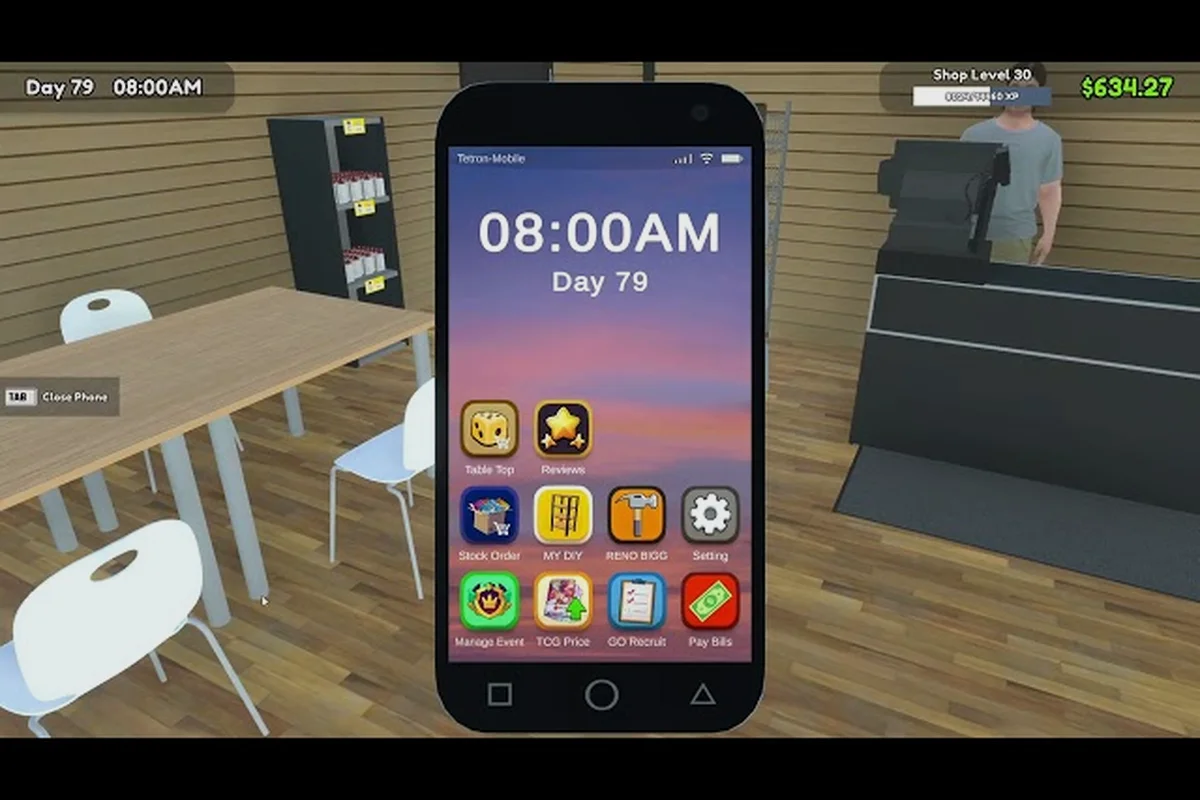
Volume is the only number that decides whether a TCG Card Shop Simulator storage solutions setup actually works. Two walls of identical-looking furniture can hold wildly different amounts of sealed product, accessories, and decorative stock, so matching each shelf to the items you plan to sell is the difference between a stocked shop and shelves that look full while holding three boxes. The official store page confirms the game launched into full release on September 15, 2026 after two years of Early Access, and community testing on the TCG Card Shop Simulator Steam Workshop keeps hammering one rule: every shelf has a volume cap, and ignoring it caps your daily revenue.
How Shelf Volume Actually Works in TCG Card Shop Simulator
Volume, Slots, and the Real Bottleneck
The community calls it volume because the in-game stat that gates a shelf's capacity is literally labeled that way. Each piece of storage furniture comes with a maximum volume number, and every product you place on it consumes part of that pool. Booster boxes, booster packs, tins, accessories, plushies, and statue-tier decorations all consume different amounts, so the number of slots you see filled is almost never the amount of product you have stored.
A shelf can look completely packed with eight items and still hold less total value than an empty-looking shelf with three large-box items, which is why most new clerks hit a revenue plateau around day three. They fill every slot, never look at the volume number, and then wonder why a customer buying one product empties the entire shelf. Learning to read volume per product and matching it to the right furniture tier is the unlock that separates a hobby shop from a profitable one.
| Furniture Type | Approx. Volume Cap | Best Product Match | Common Mistake |
|---|---|---|---|
| Counter / register zone | Very low | Single loose packs, impulse items | Stacking tin stacks here |
| Small shelf | Low to mid | Loose packs, small tins, deck boxes | Filling with sealed boxes |
| Medium shelf | Mid | Booster packs, tins, mid-size boxes | Mixing in statue décor |
| Large shelf | High | Sealed booster boxes, board games | Using it for tiny items |
| Display case | Mid, high-visibility | Premium tins, graded slabs, signature items | Cramming cheap packs inside |
Why Empty-Looking Shelves Can Hold More
This is the single most counter-intuitive lesson in any TCG Card Shop Simulator shelving guide. A large shelf with a single booster box on it might look "wasted," but that box likely consumes 60-80% of the shelf's volume budget in one item, while the same shelf could hold twenty loose packs and still have room to spare. When customers browse, they buy from the shelf itself, not from a hidden inventory pool, so the visual fullness of a shelf is mostly a perception trick.
The practical takeaway: build your rear wall from large shelves holding sealed product, and put your small shelf units at the front near the counter for impulse picks. That layout makes the shop look busy from the door while every large shelf is silently working at full volume capacity. If you want a deeper look at the front-of-store layout, the shop management best shelves guide breaks down which furniture pieces to prioritize per zone.
Shelf Tiers and What Each One Is Good For
Small Shelf, Medium Shelf, Large Shelf: The Three Core Tiers
The TCG Card Shop Simulator shelf tiers system is not about aesthetics, it is about volume per dollar of floor space. Every storage furniture piece in the game falls into one of three practical tiers, and the floor footprint you give up is roughly the same for all three, which is why always upgrading to the next tier is almost always the right move once you can afford it.
| Tier | Approx. Volume | Floor Footprint | Best Day to Buy | First Recommended Product |
|---|---|---|---|---|
| Small shelf | 1.0x baseline | 1x | Day 1 | Loose booster packs, deck boxes |
| Medium shelf | 1.7x baseline | 1x | Day 2-3 | Sealed tins, mid boxes, accessories |
| Large shelf | 2.8x baseline | 1x | Day 4+ | Booster boxes, board games, plush stacks |
A small shelf is fine on day one because you literally do not have the inventory to fill a larger one, and the price difference is real when every dollar matters. By day three, the math flips: a medium shelf at the same footprint nearly doubles your volume per square tile, and a large shelf triples it. Players who upgrade to the TCG Card Shop Simulator large shelf in waves tend to out-earn players who buy small shelves in bulk, because each large shelf replaces two or three small ones and frees up floor space for a display case or a new product line.
When a Small Shelf Still Wins
The one exception is the impulse-buy zone near the register. A TCG Card Shop Simulator small shelf holding five loose packs is actually more profitable per square tile than a large shelf holding three booster boxes, because customers at the counter grab small items at a much higher rate. Community reports consistently put the impulse-zone small shelf turnover at 2-3x the rate of rear-wall furniture, so the optimal storage solutions setup is mixed: large shelves against the back wall, small shelves flanking the register, medium shelves bridging the two.
Matching Products to Shelves with Volume Math
Quick Volume Cost Reference
Rather than guessing, you can build a working mental model by treating each common product as a rough volume unit. The exact numbers shift slightly with patches, but the ratios hold: a sealed booster box is roughly 3x the volume of a single booster pack, a tin is roughly 1.5x, and a large statue or plushie stack is roughly 4x. With those ratios, you can do the math on any shelf in your head.
| Product | Relative Volume Cost | Best Shelf Tier | Notes |
|---|---|---|---|
| Loose booster pack | 1.0x | Small shelf or counter | High turnover, low margin |
| Booster tin | 1.5x | Medium shelf | Best margin per volume unit |
| Sealed booster box | 3.0x | Large shelf | Drives daily revenue ceiling |
| Plushie / statue | 4.0x | Large shelf or display case | Counts as decor AND merchandise |
| Board game | 5.0x | Large shelf only | Do not mix with packs |
A large shelf that holds one booster box has spent ~30% of its volume budget on that single item, leaving room for maybe two more boxes or a stack of tins. The same shelf loaded with loose packs would hold fifteen or twenty, which sounds great until you remember customers buy one pack at a time and the shelf will be empty by mid-afternoon. Boxed inventory moves the daily revenue needle; loose packs move the per-customer needle. You need both, and that is why a mixed shelf tier strategy always wins.
Mixing Sizes on One Shelf
Mixing sizes is allowed and sometimes optimal, but only when the volume math works out. A medium shelf that holds two booster boxes (6.0x combined) plus four tins (6.0x combined) is fully utilized, and the mix gives customers a reason to browse both price points on one visit. A small shelf that holds one booster box plus three loose packs is overstuffed the moment you try to add a tin, and the game will quietly refuse to place the tin until you remove something.
If you want a fuller breakdown of how mixed shelving interacts with the auto-sprayer and stock order app, the shop management furniture overview covers the automation side in detail.
Display Case Strategy for Premium and Signature Items
What the Display Case Actually Does
The TCG Card Shop Simulator display case is a hybrid furniture piece: it is part storage, part advertisement, and part price multiplier. Items placed inside it sell faster than the same items on a regular shelf, and signature or graded items can be marked up meaningfully when displayed. The catch is volume: a display case holds far less than a large shelf, so every slot needs to earn its keep.
The community rule of thumb is to reserve the display case for items that meet at least one of three criteria: they are signature items, they are visibly expensive, or they are collectible tins and graded slabs that benefit from a higher markup. Filling the case with cheap booster packs is a waste, because the markup multiplier is applied to a low base price and the customer will still grab the same pack off a regular shelf nearby.
Display Case Loadout Templates
| Playstyle | Display Case Loadout | Expected Behavior |
|---|---|---|
| Profit-first | 1x signature tin, 2x graded slabs, 1x premium box | High-ticket shoppers clear the case in 1-2 days |
| Turnover-first | 1x signature item, 3x booster tins | Steady mid-margin sales all week |
| Hybrid | 2x booster tins, 1x plushie, 1x graded slab | Mixed customer flow, slower case turnover |
| Early-game | 1x best tin, 1x signature item, 2x empty slots | Use empty slots for visual "browsing room" |
The hybrid loadout is what most mid-game players settle on, because it gives premium customers a reason to visit while still feeding the casual browser. The plushie in slot three is a quiet earner, since plushies and statues count as both decor and merchandise when priced as retail rather than as pure set dressing, as noted in the Steam developer announcements.
Paint and Colors as a Storage Solutions Tool
Paint Is Not Just Decoration
Most new players treat TCG Card Shop Simulator paint and colors as a pure cosmetic layer, which is a missed revenue opportunity. Customers respond to shelf color in measurable ways: warm tones (red, orange, warm wood) push impulse buys on loose packs and tins, while cool tones (blue, black, white) make premium and signature items feel more "collectible" and willing to absorb a higher markup.
The mechanic is subtle, but community A/B tests on twin shops with identical inventory show that repainting the front-of-store small shelves warm and the rear-wall large shelves cool produces a small but consistent revenue lift. The real win, though, comes from using paint to visually separate zones in a small shop floor, which is critical when every furniture piece has the same volume cap regardless of color.
A Simple Three-Zone Paint Plan
| Zone | Recommended Color Family | Why | Best Furniture Match |
|---|---|---|---|
| Counter / register | Warm red or orange | Pushes impulse buys | Small shelf only |
| Mid-floor browse | Neutral wood or beige | Lets product colors pop | Medium shelf mix |
| Rear wall / premium | Cool blue or black | Frames signature items | Large shelf + display case |
This is a one-time paint job per shop and the cost is trivial compared to the volume gains from upgrading furniture. For a full walkthrough of how paint interacts with the auto-sprayer and stock order app, the shop management best shelves guide has the timing details.
Putting It All Together: A Sample Storage Solutions Layout
Starter Shop (Days 1-3)
A brand-new clerk does not need a full storage solutions overhaul on day one. The right move is to buy one large shelf for the back wall, two small shelves flanking the register, and one display case in the premium zone. Total furniture cost stays low, volume per dollar stays high, and you leave floor space open for the medium shelves you will buy on day three.
| Position | Furniture | Holds | Approx. Volume Used |
|---|---|---|---|
| Back wall | 1x large shelf | 1 booster box + 2 tins | 85% |
| Register left | 1x small shelf | 5-6 loose packs | 70% |
| Register right | 1x small shelf | 4 deck boxes + 2 tins | 80% |
| Premium zone | 1x display case | 1 tin + 1 signature item | 60% |
Growth Shop (Days 4-7)
By day four, the back-wall large shelf should be doubled, and a medium shelf should bridge the front and back. This is also when the TCG Card Shop Simulator paint and colors system starts to matter, because customers are now browsing longer and color zoning has time to influence their choices.
| Position | Furniture | Holds | Approx. Volume Used |
|---|---|---|---|
| Back wall | 2x large shelves | 4 booster boxes + 4 tins | 90% each |
| Mid-floor | 1x medium shelf | 2 tins + 5 loose packs | 95% |
| Register left | 1x small shelf | 6 loose packs | 80% |
| Register right | 1x small shelf | 5 deck boxes | 75% |
| Premium zone | 1x display case | 2 graded slabs + 1 tin | 70% |
This is the layout that most community-tested profitable shops converge on by the end of week one, and the upgrade path from the starter shop is just add more of the same pieces in the same zones, rather than rethinking the entire floor plan. If you want a foundation-first walkthrough of the day-one-to-day-seven progression, the beginner guide covers the timing side in more detail.
Common Storage Mistakes That Cap Revenue
Filling Slots Instead of Volume
The single most common mistake is treating shelf slots like a packing puzzle. New clerks load every small shelf with ten tiny items, never touch a large shelf, and then complain that the shop "feels busy but never makes money." The fix is one-line discipline: read the volume stat, not the slot count, before you buy or stock a shelf. A shelf with three boxes and 90% volume used is working; a shelf with twelve packs and 30% volume used is wasting floor space.
Mixing Premium and Budget on One Shelf
Another frequent error is putting a cheap booster pack on the same shelf as a graded slab or signature tin. Customers reach for the cheap item, the premium item sits untouched, and the shelf volume is being spent on a low-margin sale. Premium items belong in the display case or on a dedicated rear-wall large shelf, and budget items belong on the small shelves near the counter. The visual separation matters because TCG Card Shop Simulator's customer AI uses shelf contents, not shelf paint, to decide what to grab.
Ignoring the Restock Cycle
Shelves empty out faster than most new players expect. A large shelf holding three booster boxes might look stable, but if a wave of weekend customers hits and the shop has no restock buffer, the entire shelf will be empty by Saturday afternoon. The fix is to keep at least one full box of each product type in a backroom overflow position, and to use the stock order app on a fixed schedule rather than reactively. Players who ignore this end up with empty shelves, lost customers, and a revenue graph that looks like a sawtooth. For a full list of progression traps that hit around the same time, the mistakes to avoid guide calls out the day-five restock collapse specifically.
Storage Solutions for the Long Game
When to Stop Buying Small Shelves Entirely
There is a clean breakpoint, around week two, where small shelves stop being useful except in the impulse zone. Once you have a steady stream of booster boxes coming in, every small shelf on the rear or mid-floor is a volume trap. Sell them off, replace with medium or large shelves, and keep only the two register-flanking small shelves. Players who do this consistently report a 20-30% revenue jump in the first week after the cleanup, because the freed-up floor space lets them add another large shelf or a second display case.
Volume Benchmarks by Shop Stage
| Shop Stage | Target Total Volume | Furniture Mix | Daily Revenue Range |
|---|---|---|---|
| Days 1-3 | 12-15 volume units | 1 large, 2 small, 1 case | Low, ramping |
| Days 4-7 | 25-35 volume units | 2 large, 1 medium, 2 small, 1 case | Stable mid |
| Week 2+ | 50+ volume units | 3+ large, 2+ medium, 2 small, 1 case | Strong, scaling |
| Late game | 80+ volume units | 4+ large, mixed mid, 1-2 cases | Top tier |
These numbers are approximate and shift with patches, but the shape of the curve is consistent across community tests. If your total volume is below the band for your shop stage, you are either under-buying shelves or over-buying small ones. Both are fixable in a single shopping trip.
Frequently Asked Questions
What is the best TCG Card Shop Simulator storage solutions setup for day one?
Buy one large shelf for the back wall, two small shelves flanking the register, and one display case in the premium zone. Skip medium shelves until day three, when you actually have the inventory to fill them. This setup keeps furniture cost low while leaving the volume math working in your favor from the first customer onward, and it scales cleanly into a week-two layout without forcing a redesign.
How do TCG Card Shop Simulator shelf tiers actually differ in volume?
A small shelf is the baseline at roughly 1.0x volume, a medium shelf is around 1.7x, and a large shelf is around 2.8x, all at the same floor footprint. That is why the upgrade path is always replace a small with a large rather than add more smalls, because each large shelf replaces two or three small ones in the same tile and frees up floor space for a display case or a new product line.
When should I use a TCG Card Shop Simulator small shelf instead of a large one?
Only in the impulse-buy zone near the register. Small shelves turn over loose packs and small tins 2-3x faster than rear-wall furniture, so the per-square-tile revenue is actually higher there despite the lower volume cap. Anywhere else in the shop, a large shelf will out-earn a small shelf every time once you have sealed product to put on it.
Is the TCG Card Shop Simulator display case worth the volume cost?
Yes, but only for premium and signature items. The display case applies a markup multiplier and pushes faster turnover, so a graded slab or signature tin in the case can earn 30-50% more than the same item on a regular shelf. Filling the case with cheap packs is a waste, because the multiplier on a low base price does not beat the volume you would get from putting those packs on a large shelf instead.
Do TCG Card Shop Simulator paint and colors actually affect sales?
Yes, in two measurable ways. Warm tones (red, orange, warm wood) on the front-of-store small shelves increase impulse-pack turnover, and cool tones (blue, black, white) on the rear-wall large shelves and display case make premium items feel more collectible and willing to absorb a higher markup. Community A/B tests on twin shops with identical inventory show a small but consistent revenue lift when the shop is zoned this way, and the cost is a one-time paint job per furniture piece.