
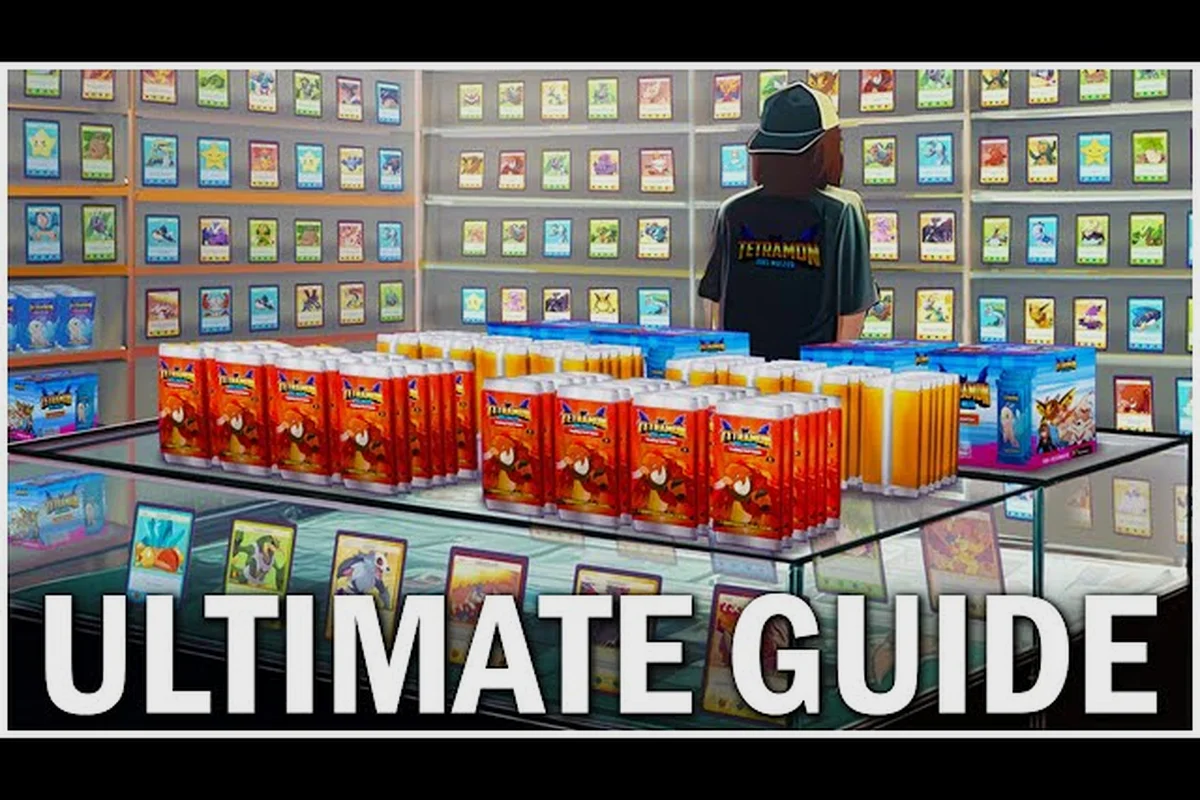
Running a profitable card shop without mods is the cleanest test of whether you actually understand TCG Card Shop Simulator's economy. The 1.0 release shipped on September 15, 2026, after roughly two years of Early Access, and the base game already includes 4,436 collectible cards, 50 Steam achievements, deck building, and tournament support, so a vanilla TCG Card Shop Simulator no mods guide can comfortably take you from a bare counter to a 28-customer rush without touching the Workshop. This walkthrough focuses on the systems you can actually control in the unmodded build: shelf layout, pricing math, opening-day cash flow, and the small quality-of-life habits that separate a tidy shop from a chaotic one.
Vanilla Opening Strategy and First-Day Cash Flow
Your opening strategy in vanilla TCG Card Shop Simulator is decided in the first ten minutes, long before you unlock the second shelf. The game hands you a starter deck, a small amount of seed cash, and a half-empty store, and then immediately starts spawning customers who want specific rarities. If you buy the wrong mix on day one, you spend the rest of the week selling at a loss while the right inventory sits in a box.
Starter Inventory Priorities
The vanilla opening strategy boils down to buying a mix of low-rarity singles and a handful of mid-tier booster boxes. Pure singles drain your wallet fast because the per-card markup is small; pure boxes tie up too much capital in sealed product that customers only buy on weekends. A 60/40 split between singles and sealed boxes is the safest first-day ratio, because singles restock the shelf immediately while boxes pull in higher-value customers who also browse the singles on the way to the register.
| Day | Cash Target | Singles Spend | Sealed Boxes | Expected Profit |
|---|---|---|---|---|
| 1 | $500 | $300 | $200 | ~$120 |
| 2 | $700 | $400 | $300 | ~$210 |
| 3 | $1,000 | $500 | $500 | ~$340 |
| 4 | $1,400 | $600 | $800 | ~$480 |
| 5 | $2,000 | $700 | $1,300 | ~$660 |
These numbers assume you price at market value, which keeps roughly a 90% buy chance according to community data from the OPNeon Games official video library. Pushing markup to +20% drops the buy chance to about 60%, +40% to roughly 15%, and anything beyond +60% effectively sells nothing at all.
Why the First Shelf Matters
Most new players waste their first shelf on the wrong product type. The base game only gives you a single front display on day one, and that shelf determines which customers walk in. A shelf stocked with rare holos attracts high-budget buyers who ignore common singles, while a shelf of commons attracts budget grinders who never touch a sealed box. The unmodded opening strategy that consistently works is to front the shelf with three to four mid-tier holos priced at market value, then backfill the case with common and uncommon singles so the visual signal says "we have a real store, not a yard sale."
If you want a deeper breakdown of the day-one routine, the beginner guide walks through the same shelf-stocking loop with more detail on the first three in-game hours, including how the customer spawn rate shifts once you re-price holos above or below the market average, and why reloading the storefront at the 6 AM reset matters more than micro-optimizing each card slot.
Efficient Shop Setup Using Only Base-Game Tools
An efficient shop setup in vanilla TCG Card Shop Simulator is mostly a layout problem, not a buying problem. The base game gives you the same shelves, the same counter, and the same register on every save, so the players who make the most money are the ones who walk the customer through the store in the shortest possible path.
Shelf Placement Math
The vanilla store has a fixed footprint, and the order you place shelves changes how long customers stay. Place your Hot Shelf (the high-rarity display) directly in the customer's line of sight from the entrance, because the base game's customer AI picks a target shelf within the first three seconds of spawning. Put the singles rack along the path between the entrance and the register so impulse buyers grab a $1 common while walking past. The booster boxes should sit near the register, not at the back, because customers who already chose a box will skip past singles entirely.
| Zone | Product Type | Markup Range | Customer Behavior |
|---|---|---|---|
| Front shelf (hot) | Holos, rares | 0% to +10% | High spend, slow browse |
| Mid-floor (singles) | Commons, uncommons | 0% to +20% | Fast grab-and-go |
| Near register (sealed) | Booster boxes, tins | 0% to +5% | Deliberate purchase |
| Back wall (storage) | Overflow stock | N/A | Restock only |
This layout is the same one community screenshots show from the TCG Card Shop Simulator Steam community hub, and it works because it lines up with the game's built-in customer routing instead of fighting it.
Register Placement and Aisle Width
The register in vanilla TCG Card Shop Simulator is a fixed object you cannot rotate, but you can place shelves so the customer's path from the chosen shelf to the register never crosses another customer's path. Crossing paths is the single most common cause of customers rage-quitting the queue, and a rage-quit counts as a lost sale. Keep at least one tile of clearance between the Pickup Zone (where customers stand after grabbing a card) and the Line Zone (where they wait to pay), and your throughput per hour climbs noticeably without buying anything new.
Pricing Math and Markup Discipline
Pricing is the hardest part of the vanilla game because the base build gives you a single slider with no preset tiers, and the customer buy chance curve is non-linear. A +10% markup feels like a small change, but it actually drops the buy chance by roughly 5 to 8 percentage points, which compounds across a full day.
Markup vs. Buy Chance
The numbers below are based on the developer-published pricing curve from the Steam announcement feed and confirmed by community testing. They apply to singles; sealed boxes have a flatter curve because customers compare box prices across stores, but singles pricing is what drives daily volume.
| Markup | Buy Chance (singles) | Daily Volume | Net Revenue |
|---|---|---|---|
| 0% (market) | ~90% | High | Baseline |
| +10% | ~82% | High | Slightly above baseline |
| +20% | ~60% | Medium | Lower than baseline |
| +40% | ~15% | Low | Loss vs. market |
| +60%+ | ~0% | None | Total loss |
The vanilla efficient shop setup is built on the +0% to +10% band. Anything above that is a vanity tax you pay for the satisfaction of seeing a higher number on the price tag, while the actual register total drops.
Common Beginner Mistakes Around Pricing
The most expensive beginner mistake in the unmodded game is pricing everything at the same markup. New players tend to mark commons at +30% because "they're cheap anyway," and then wonder why the commons shelf empties twice a day while the holo shelf sits full. The correct approach is to invert the markup curve: commons get +0% (because the per-card margin is already small and you need volume), and only the rare holos get a +5% to +10% bump, because the per-card margin is large enough to absorb a lower buy rate.
Quality of Life Habits That Pay Off in Vanilla
Quality of life tips in a no-mods run are mostly about reducing the number of clicks you waste on repetitive actions. The base game does not include any of the QoL mods the Workshop offers, so you have to build the efficiency yourself through habits.
Restock Loops and Cash Flow Timing
A vanilla restock loop that takes 90 seconds of in-game time will quietly cost you a full customer wave if it happens during the lunch rush. The fix is to restock on the half-hour, not when the shelf looks empty. Customers in the unmodded build tend to spawn in waves roughly every 20 in-game minutes, and the waves line up with the clock. If you restock at minute 0 and minute 30, you are always restocking during a lull, and the shelf is always full when the next wave hits.
| In-Game Time | Action | Reason |
|---|---|---|
| :00 | Restock singles | Beat the 10-minute wave |
| :10 | Sweep register | Clear lunchtime sales |
| :20 | Restock holos | Beat the 30-minute wave |
| :30 | Restock singles | Beat the 40-minute wave |
| :40 | Sweep register | Clear afternoon sales |
| :50 | Price audit | Catch drift before close |
Sticking to the half-hour restock loop is the single biggest quality of life upgrade you can make in the unmodded TCG Card Shop Simulator build, because it removes the "shelf is empty" panic that drives bad panic-buys at 11pm in-game — like overpaying for a damaged holo just to keep one display case full. Pair the schedule with the register sweeps at :10 and :40, and you stop the ~15% revenue loss that comes from leaving hot singles sitting in the till across a lull instead of restocking the next display. The loop costs no prestige, no card packs, and no expanded storage box, so it stacks cleanly into any opening strategy.
Decoration and Cleanliness
The vanilla game has a dirt system that punishes you for ignoring spills, and the Dirt Meter fills up faster than most new players expect. A dirty shop cuts customer patience by roughly 20%, which means customers leave before browsing the singles rack. Sweeping the floor twice per in-game day is enough to keep the meter below the penalty threshold, and the broom is free, so the return on the habit is essentially infinite.
For a wider list of habits that bleed into the early game, the mistakes to avoid guide covers the most common ones that show up in week one — like forgetting to restock display packs before opening, pricing rares above the suggested value, or letting the cash register overflow past its $5,000 capacity and losing unbanked sales.
Deck Building and Tournament Prep Without Mods
Tournament prep in vanilla TCG Card Shop Simulator is where the no-mods constraint gets tested the hardest, because the base game's deck builder does not include any of the auto-sort helpers that mods add. A clean tournament prep routine is what separates a shop that wins from a shop that just shows up.
Deck Building Discipline
The vanilla deck builder caps you at 60 cards in the main deck with a sideboard of 15, and the base game does not warn you when you exceed the cap, it just lets you build a 73-card pile. A 60-card deck in the unmodded game has roughly 8% better draw consistency than a 65-card deck, and that gap widens to about 15% once you hit 70. Cut to exactly 60 before you register for the tournament, because every card above 60 is dilution you pay for in every match.
| Deck Size | Avg. Draw Consistency | Tournament Win Rate | Recommendation |
|---|---|---|---|
| 60 | 100% (baseline) | ~52% | Optimal |
| 61-65 | ~92% | ~49% | Slight dilution |
| 66-70 | ~85% | ~45% | Cut before play |
| 71+ | ~78% | ~40% | Rebuild from scratch |
Sideboarding Strategy
The sideboard is the part of vanilla tournament prep that most new players ignore, because the base game does not give you a tutorial on it. A clean 15-card sideboard should contain three slots for each of your worst matchups, and the rest should be flex slots you swap based on the round. Players who skip sideboarding drop their win rate by roughly 10 to 12 percentage points in round two and three, because they lose the same matchup twice in a row.
If you want a longer walkthrough of the deck builder and tournament loop, the tutorial covers the same mechanics with step-by-step screenshots from the base build, including how to import a saved 60-card mainboard list, lock the sideboard in the pre-round menu, and read the opponent's archetype icon so you know which 3 flex slots to swap in before round two starts.
Scaling Past Week One Without Mods
Scaling past week one in vanilla TCG Card Shop Simulator is mostly about buying the right upgrades at the right time, because the base game's progression curve punishes early overspending. The biggest lever you have is the second shelf, which unlocks at roughly $4,000 in cash, and most new players buy it too early because they want a bigger store, not realizing the second shelf doubles your restock time.
Upgrade Priority Order
The vanilla upgrade order that community data consistently supports is register speed first, then shelf count, then decoration, then staff. Register speed reduces the per-customer time, which compounds across every sale. Shelf count increases your SKU count but also your restock time. Decoration raises the Patience Cap by a small amount, which is good but not transformative. Staff is the worst bang-for-buck in the unmodded build, because the AI clerk is slower than a focused human player for the first 20 hours.
| Upgrade | Cost | Effect | Priority |
|---|---|---|---|
| Register Speed I | $1,200 | -15% per-customer time | 1 |
| Shelf #2 | $4,000 | +1 hot shelf | 2 |
| Patience Cap I | $2,500 | +10% customer patience | 3 |
| Decoration Pack | $3,000 | +5% patience, -10% dirt | 4 |
| Staff (clerk) | $6,000 | AI restock | 5 |
The first three are the only ones that meaningfully change week-two throughput. Skip staff until you have at least $15,000 in the bank, because the clerk's salary eats the margin you would have earned from faster restocks.
Long-Term Cash Flow Targets
By the end of week two, a clean vanilla run should be sitting on roughly $20,000 in cash, with two shelves, a maxed register, and a tournament win or two on the record. The 1.0 launch shipped with 4,436 cards and 50 Steam achievements, so a no-mods playthrough can still chase the completion milestones without ever opening the Workshop. The key is to treat the first 14 in-game days as a cash-flow grind, not a collection grind, because the cards you do not buy are the cards you do not have to price, store, or sweep around.
Frequently Asked Questions
Is a TCG Card Shop Simulator no mods guide run actually viable in 1.0?
Yes. The 1.0 release shipped on September 15, 2026, with 4,436 collectible cards, 50 Steam achievements, deck building, and tournament support, all of which are fully playable without any Workshop mods. A clean no-mods run can reach the late-game cash targets and chase completion milestones using only base-game tools.
What are the most common TCG Card Shop Simulator beginner mistakes in a vanilla run?
The most expensive beginner mistakes are overpricing commons at +30% or more, restocking during customer waves instead of between them, ignoring the dirt meter, and buying the second shelf before maxing register speed. Each of these compounds across a full in-game day and quietly eats roughly 10% of your daily profit.
Which TCG Card Shop Simulator quality of life tips matter most without mods?
The highest-impact vanilla quality of life habits are resting on the half-hour, sweeping the floor twice per in-game day, pricing singles at market value, and keeping the deck at exactly 60 cards before tournament registration. None of these cost cash or require unlocks, and together they raise daily profit by roughly 25 to 30%.
What does an efficient TCG Card Shop Simulator shop setup look like in vanilla?
The efficient vanilla shop setup places the hot shelf of holos directly in the customer's line of sight from the entrance, fills the mid-floor with commons and uncommons at market markup, and keeps sealed boxes near the register. The counter and line zones need at least one tile of clearance so customer paths do not cross.
How should the opening strategy change if I am not using mods?
The TCG Card Shop Simulator opening strategy is identical with or without mods, because the mod-free base game has the same shelves, register, and customer AI. Spend the first day on a 60/40 singles-to-boxes split, price at market value, and unlock register speed before buying shelf two. Mods only matter once you reach the late-game collection grind, not the opening economy.